
CxxDbg Features
Modern C++ programs make heavy use of standard library types, functional style code, and custom functional wrappers. Existing debuggers provide only partial support for these constructs. A step-into operation at a call through a functional object, such as a std::function or the result of std::bind, enters the standard library implementation instead of the target function. Value formatters typically cover common standard library containers and strings, but provide limited support for functional objects and do not expose the source location of the wrapped target. Stack traces contain a significant number of standard library frames, and function names are difficult to read when complex template parameters are involved. The main goal of the CxxDbg project is to solve these problems.
Advanced stepping functions
Step to the target of functional objects
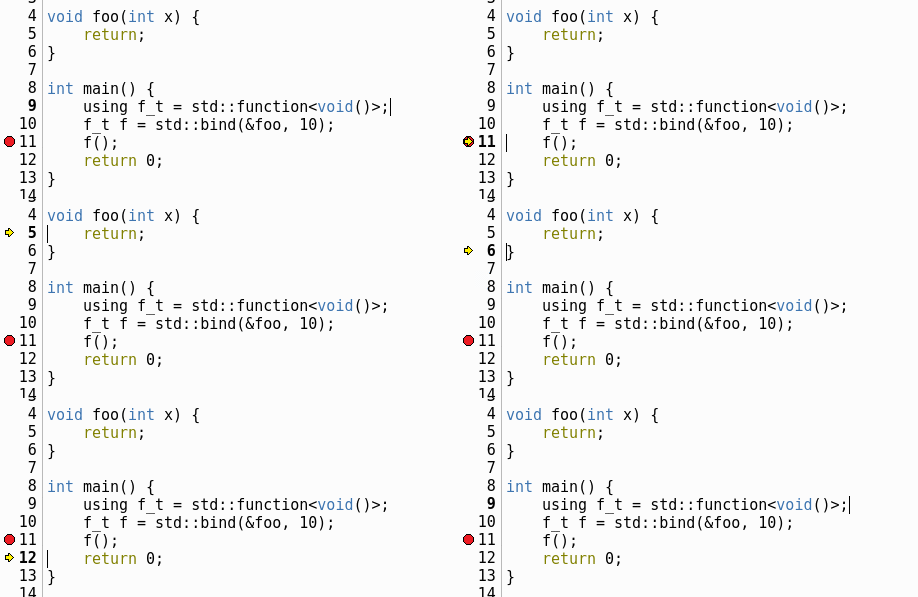
A step-into operation at a call through standard functional objects, such as std::function or the result of std::bind, steps directly into the target function. Standard library code is skipped in both directions, so step-out returns to the call site rather than to library internals.
Skip standard library functions
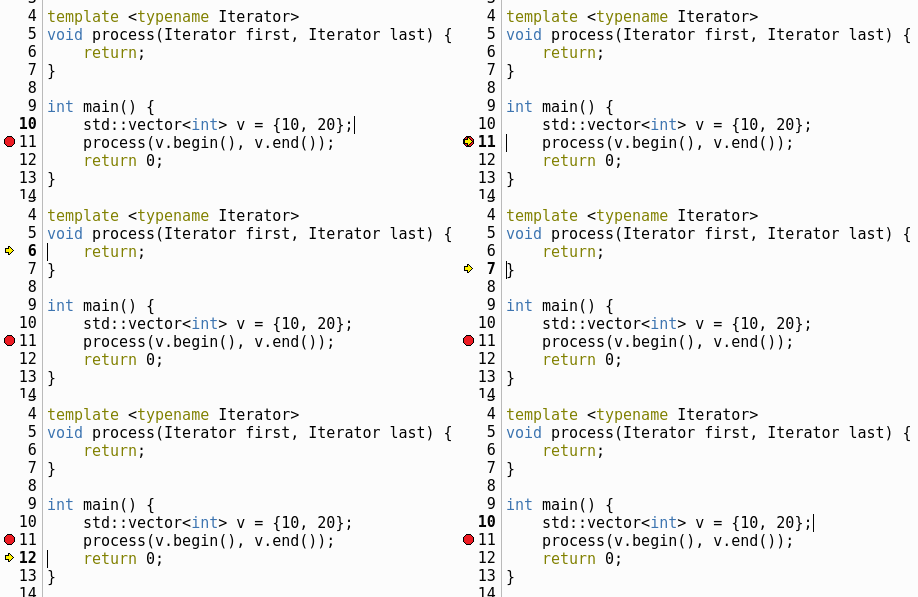
Standard library functions are skipped even when the call target is the library function itself. A step-into operation at v.begin() or v.end() does not stop in the library implementation and continues to the first function defined in user code.
Customize step behavior
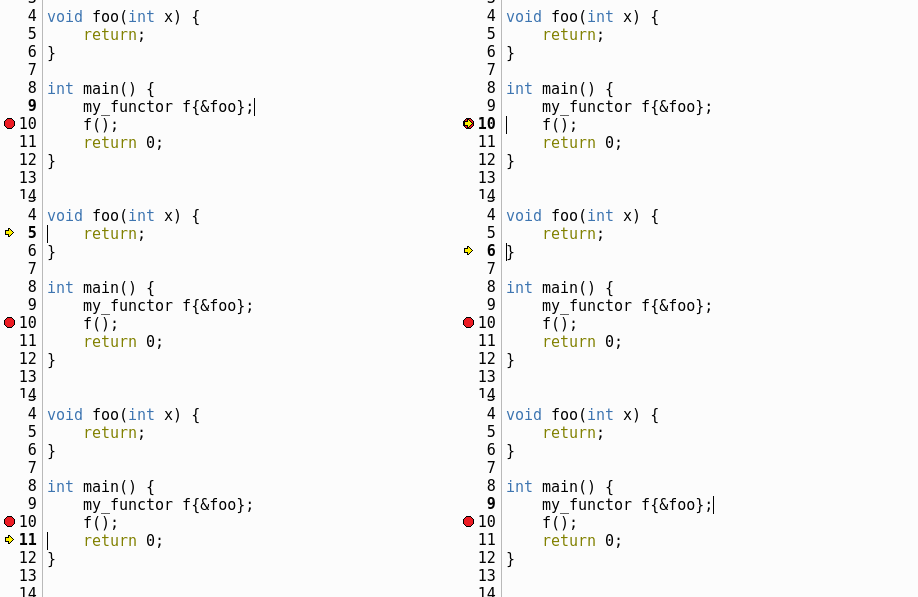
Stepping is not limited to the standard library. The regular expressions used to detect step targets are configurable, so third-party libraries and user-defined functional objects can be handled the same way. In the example, adding ^my_functor:: to the step settings steps through a user-defined my_functor object to its target.
Value formatters
Values are formatted by dbgfmt, a value and type formatting framework with built-in formatters for libstdc++ and libc++. Alongside the formatted value, it extracts the source location of the value and its type. The framework does not depend on any debugger and can be reused in other tools.
Lambda expressions
The value of a lambda shows the name of the target lambda expression and its position in the source code, together with the captured variables. In the example, the value of lambda shows the captured z.
int z;
auto lambda = [z](int x, int y) -> auto {
    return x + y + z;
};

auto res = lambda(10, 20);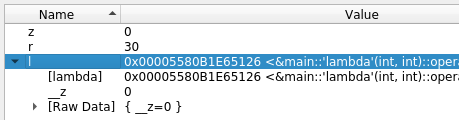
Standard functional objects
The value of a std::bind result shows the target function together with the bound arguments and placeholders. std::function and std::reference_wrapper values are formatted as well. In the example, a std::bind result is wrapped in a std::function object.
void foo(int x, int y) {
    ...
}

std::function<void(int)> bf = std::bind(&foo, _1, 10);
bf(20);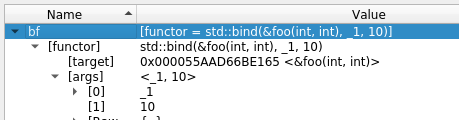
Standard library coverage
Built-in formatters cover the following standard library types, for both libstdc++ and libc++.
- Containers
- Strings
- Smart pointers
- Functional types
- Utility types
- chrono & regex
libstdc++
The GNU C++ Library
libc++
The LLVM/Clang C++ Library
Call stack grouping
Frames of no interest become child items
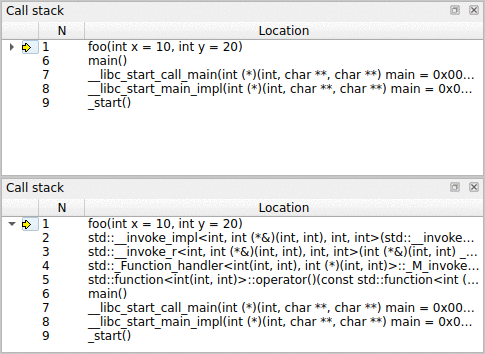
Frames of no interest are moved into child items, so user frames are not separated by library code. In the example, a call through std::function adds four standard library frames between main and foo. They are grouped under foo and can be expanded when low-level debugging is needed.
int foo(int x, int y) {
    ...
}

std::function<int (int, int)> foo_f = &foo;
foo_f(10, 20);